“`html
Why Free Flight Sims Matter More Than You Think
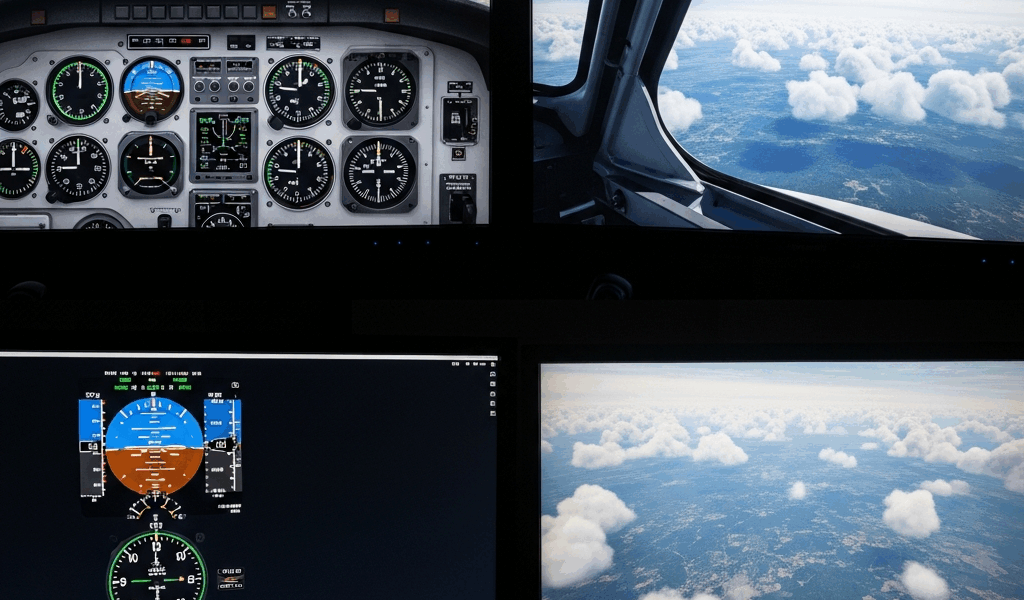
Flight simulators have gotten complicated with all the pricing noise flying around. I’ve spent the last three years bouncing between them—some cost $60, others completely free—and here’s what I learned: the price tag has almost nothing to do with how much you’ll actually enjoy flying.
Microsoft Flight Simulator 2024 is gorgeous. I’ll admit it. The photogrammetry is stunning, and landing in New Zealand feels like you’re really there. But it costs money. Real money. And if you’re just curious about whether flight sims are your thing, dropping that investment before you know is a legitimate risk.
As someone who’s spent way too much time searching for “best free flight simulator software,” I can tell you what most people miss—the free options have serious depth. Real depth. I’m not talking about stripped-down demos that lock you out after 30 minutes. I mean actual simulators with aircraft systems modeling, active communities, and decades of development behind them.
Here’s what makes this so interesting: the gap between free and paid has narrowed dramatically. What used to be a massive quality chasm is now more like a different-tools-for-different-jobs situation. Someone learning instrument flying might actually prefer the free option. Someone doing aerobatics might hit a wall where paid software wins. Someone who just wants to mess around in a Cessna? Completely fine with free.
So, without further ado, I’m going to be honest about what each platform actually gives you. No padding. No “you might find this useful in some scenarios” nonsense. Just real trade-offs.
X-Plane 12 Free Demo vs the Full Version
Let’s address the obvious thing first: X-Plane 12 has a free demo. It’s genuinely functional. You can fly real aircraft in real locations.
The catch is real too—30 minutes per session. After exactly 1,800 seconds, your flight ends. You restart. That’s not a typo.
Why do people love the demo anyway? Because those 30 minutes are completely unrestricted otherwise. You get default aircraft like the Cessna 172 and the Boeing 747. Full systems simulation. Real airports. Weather. The actual flight physics that make X-Plane legendary in training communities.
I’ve used it to learn crosswind landings. Thirty minutes is enough to do pattern work four or five times, which is legitimately useful practice. The timer isn’t some aggressive anti-consumer move—it’s genuinely enough for a solid training session.
Now, the full version of X-Plane 12 costs around $60 for the basic edition. That removes the timer entirely. You get the same physics, same aircraft, same world. Is it worth it?
Here’s my honest take: if you’re serious about learning, yes. If you’re just curious, spend a week in the demo first. The full version also opens up third-party aircraft, which is where the real rabbit hole starts. Payware planes like the Zibo 737 modifications or payware turboprops can run $40–$80 each, but there are excellent freeware options too.
The demo never feels broken or crippled. It’s a real simulator with training wheels. That matters.
FlightGear Open Source Flight Sim Deep Dive
Convinced by some forum post that I was wasting my life on paid software, I installed FlightGear three years ago. The first 30 minutes were rough. The learning curve isn’t just steep—it’s practically vertical.
Then something clicked. FlightGear is the most genuinely free option here. It’s open source. No corporate overlord. No subscription. No weird licensing restrictions. You download it, you own it, forever.
The default aircraft collection is solid. You get everything from a Cessna 172 to experimental bushplanes to gliders. Want to fly a DHC-6 Twin Otter into an 800-foot strip? FlightGear has that. The systems modeling varies by aircraft—some are heavily detailed, others are simplified—but the flight physics are legitimately sophisticated.
The real strength is the community addon ecosystem. The FlightGear community has built aircraft that rival payware quality. The Airbus A320 family addon is extraordinarily detailed. People have spent thousands of hours modeling aircraft with full glass cockpits, hydraulic systems, and realistic failure modes. Free. All free.
Hardware requirements matter here. FlightGear can run on modest systems — I got it working on a 2018 Dell laptop with an integrated GPU — but it stutters on anything older than a GTX 1050. The graphics aren’t as slick as MSFS or X-Plane, but they’re perfectly adequate once you adjust expectations. You’re looking at 4GB RAM minimum, 8GB recommended, and honestly an SSD helps with scenery loading.
The scenery is procedurally generated by default, which means every airport exists somewhere in the world database, but it won’t look photorealistic. You can download high-resolution scenery packs for specific regions, though that’s a separate download rabbit hole.
Here’s a real workflow example: I wanted to practice ILS approaches at night. I downloaded the latest development build of FlightGear, loaded the KSEA (Seattle-Tacoma) scenery addon, picked the Baron with glass avionics, set weather to 500-foot ceiling and 2-mile visibility, and practiced for two hours. Completely free. Realistic enough to learn actual ILS technique. That exact scenario would cost money in other simulators or require payware aircraft — probably $40 to $80 worth.
The learning curve is legitimate though. The interface is not intuitive. Documentation is scattered across forums and wikis. If you need hand-holding, FlightGear isn’t it.
Condor 3 Soaring Simulator for Glider Enthusiasts
Probably should have opened with this section, honestly, because Condor 3 is not a “free” flight simulator in the traditional sense.
It’s a one-time purchase—$30 USD. But in a world where MSFS costs $60 and X-Plane costs $60, and in a world where gliding-specific features are basically nonexistent in other sims, thirty bucks is borderline free-adjacent for what you’re getting.
Condor 3 is purely about thermal soaring and ridge flying. That’s it. No engines (except the tow plane that launches you). No runways in the traditional sense. Just you, a glider, rising air, and physics models that glider pilots respect.
Why do actual glider pilots love it? Because the thermal and ridge lift modeling is accurate enough to teach real skills. The thermals behave like real thermals. Wind shifts matter. Energy management matters. You learn to climb efficiently because staying inefficient gets you nowhere.
The learning curve is moderate — actually easier than FlightGear. The interface is clean. Aircraft are well-modeled (the ASG 29 and LS-8 are included and feel right). The scenery is stylized rather than photorealistic, but it’s detailed and beautiful in its own way.
Who should skip it? Anyone who wants to do powered flight. Anyone who thinks $30 is too much (fair argument). Anyone who wants photorealism.
Who should buy it? Glider pilots. Anyone curious about soaring. Anyone who wants a different flying experience entirely. The community is smaller than mainstream sims, but it’s passionate and helpful.
Comparison Table Free Flight Sims 2024
| Platform | Learning Curve | Best For | Hardware Needed | Aircraft Count | Mod Support |
|---|---|---|---|---|---|
| X-Plane 12 Demo | Shallow | Learning fundamentals | Modest (GTX 960+) | 12 default | Limited |
| FlightGear | Steep | Open-ended exploration | Strong (GTX 1050+) | 50+ quality | Excellent |
| Condor 3 | Moderate | Glider training | Modest (GTX 750+) | 30+ sailplanes | Good |
| MSFS 2024 Demo | Shallow | Scenic flying | Strong (RTX 3070+) | 20 default | Moderate |
I left out some obvious junk. Some “free” sims are fundamentally broken or abandoned. These four are legitimately maintained and actively used by real pilots.
Honest Verdict: Which Free Sim to Start With
Here’s the decision tree I actually use when someone asks me this question:
You want to learn instrument flying or understand real aircraft systems? Start with X-Plane 12 demo. The 30-minute limit is annoying, but the systems modeling is serious. You’ll learn real skills. If you’re hooked after two weeks, buy the full version.
You want instant gratification and don’t care about systems depth? MSFS 2024 demo, honestly. It’s beautiful. You’ll have fun immediately. The learning curve is shallower. Then decide if photorealism matters enough to justify $60.
You want zero paywall ever and don’t mind complexity? FlightGear. Accept the steep learning curve. Spend your first session just getting a plane airborne. By week two, you’ll understand why people prefer it. The community will help if you ask nicely.
You specifically want to learn soaring or gliding? Condor 3. Thirty dollars is worth it for the specificity. No other simulator does this.
Hardware baseline: at least a GTX 1060 or RTX 2060, 8GB RAM, and an SSD with 50GB free space will get you smooth 60fps across all these platforms. If your GPU is older than 2016, FlightGear will stutter and MSFS won’t run at all. X-Plane will work but maybe not pretty.
I made the mistake of assuming free meant broken. I was wrong. The free options have legitimate depth. Some people never need to pay anything. Others will spend thousands on payware aircraft and add-ons. Both are valid. The key is knowing which path fits your actual goals before you commit money.
“`



Stay in the loop
Get the latest ultimate flight simulators updates delivered to your inbox.