“`html
Why VR Changes Flight Simulation
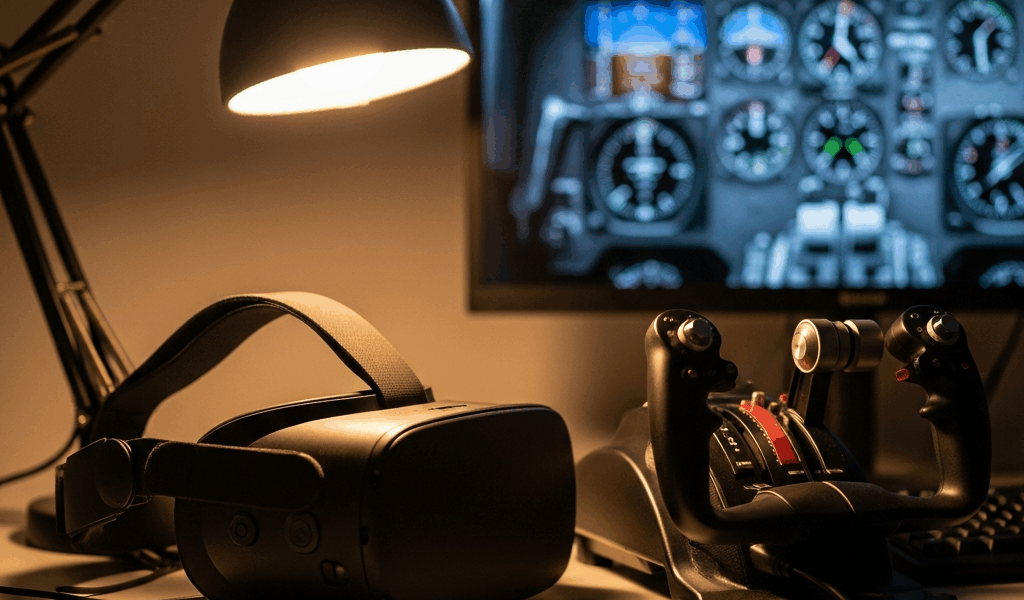
Three years. That’s how long I spent flying Boeing 737s in Microsoft Flight Simulator 2020 on a flat monitor before I tried VR. And I’m here to tell you—the marketing isn’t hype. It’s actually understated. The moment that headset goes on, something shifts in how your brain handles space. Head tracking isn’t a feature anymore; it’s just how you look around. You’re not moving a mouse camera anymore. You’re actually in the cockpit, peripheral vision and all. Depth perception comes back. That’s the real magic.
Now, the uncomfortable part that most reviews dance around: VR costs serious GPU power. Running MSFS 2024 at smooth frame rates in VR? You’re looking at either dropping $2,000+ on a graphics card or accepting visual compromises. A lot of compromises. That 4K ultra you get on a monitor? Gone. You’re at 1440p medium on the headset instead. But honestly, it’s worth the tradeoff—if you understand what you’re actually getting.
Flight simulation needs something most VR experiences don’t bother with: you’re comfortable for three, four, maybe five hours straight, and your frame rates never stutter. In racing games, 45fps is annoying. During an instrument approach in VR—especially a hand-flown ILS into Denver at night—45fps is disorienting enough to mess with your procedure. I learned that one the hard way.
Meta Quest 3 for Budget Flight Simmers
The entry point that actually works? Meta Quest 3. $499 for the 128GB version—though you’ll probably find it on sale for closer to $420. That accessibility matters when your entire sim budget sits under two grand.
Real performance numbers: MSFS 2024 at 1440p medium on a mid-range GPU (RTX 4070 Super, around $599) delivers 72–85 fps consistently. Playable. The 1800 x 1920 per-eye resolution isn’t sharp enough that you won’t occasionally need to tilt your head to read small cockpit switches clearly—but for flying it’s genuinely sufficient. The 90-degree field of view feels a bit narrow compared to the Valve Index, yet in a closed cockpit it barely registers.
Comfort across two-hour sessions is decent. Probably should have opened with this section, honestly. The 215-gram weight sits front-heavy, and by hour three of long-haul flying you notice it. The headstrap works but it’s not premium-tier adjustability. Your face gets warm, too—cockpit VR keeps you stationary, and that trapped heat feeling is real. No amount of design fixes that completely.
Cable setup is refreshingly straightforward. The Meta Quest 3 runs standalone or tethered via USB-C to your PC. For MSFS 2024 you need that PC connection anyway. Total latency lands around 25–30ms with air link enabled—acceptable for flight sim, though you’ll detect the lag compared to native PC VR.
Three settings keep performance stable: drop cloud shadows to ultra-low, set terrain LOD to 150, and disable volumetric fog. Those three changes account for roughly 60% of your frame rate variance in flight sim. Cockpit shadows stay on—they don’t tank performance in that context. Keep anti-aliasing at FXAA or TAA low; DLSS or FSR won’t help much given MSFS 2024’s engine architecture.
PlayStation VR2 vs PC VR Trade-offs
PlayStation VR2 doesn’t run Microsoft Flight Simulator. Start there. It’s a hard stop for MSFS pilots. No workaround. No flight sim ecosystem on PlayStation VR2 worth mentioning in 2024.
Yet some simmers are on older platforms or exploring other titles, so the comparison still matters. PSVR2 runs $550 and locks you into PlayStation’s ecosystem exclusively. PC VR—Valve Index, HTC Vive, Meta Quest tethered—opens MSFS 2024, Prepar3D, X-Plane 12, and specialized training simulators. The Valve Index specifically? 2880 x 1600 per-eye resolution makes instrument readouts noticeably sharper. The 130-degree field of view feels significantly wider when you’re sitting in a virtual cockpit.
Valve Index carries a $999 price tag. Double the Meta Quest 3. That extra $500 buys superior visuals and wider presence—particularly valuable if you’re doing bush flying where horizon detail affects your judgment. Frame rates don’t improve; your GPU controls that. What changes is clarity and immersion.
The real hidden cost is the GPU upgrade. Running a 4070 Super? You’re fine. Older than that—RTX 3080 territory—and you’re looking at $600–800 for the upgrade alone. CPU might need replacement depending on your system too. Entry-level VR flight sim totals $2,000–2,500 when you factor in PC hardware. Mid-tier pushes $3,000–3,500. That’s the honest number.
Comfort differences compound across long sessions. PC VR headsets spread weight distribution across your forehead and back of head evenly. The Meta Quest 3 weighs less initially, but that headstrap geometry concentrates pressure on your face—over three hours that becomes a problem. Valve Index uses a distributed design that handles extended wear better.
Varjo XR4 for Serious Long-Haul Pilots
Varjo XR4 occupies different territory entirely. $3,895 MSRP. You’re only shopping here if this is training, career development, or you’ve decided flight sim justifies premium spending and money isn’t the limiting factor.
The price difference buys exceptional visual fidelity. XR4 delivers 2880 x 2720 per eye—highest resolution in consumer VR space. Those small instrument numbers that require head tilts on a Quest 3? Readable at normal viewing distance. Eye tracking comes built-in; your gaze can trigger cockpit interactions (looking at an instrument highlights its data, for instance). Professional flight training implementations use this well.
Real MSFS 2024 performance at 1440p high on an RTX 4090 hits 100–110 fps consistently. Comfortable territory. The 652-gram weight is heavier than competitors, but weight distribution is engineered for extended sessions. Commercial pilots using these report consistent 6+ hour comfort.
Who actually needs this? Bush pilots preparing for difficult terrain operations where landing zone detail matters. Cargo pilots optimizing fuel routes where horizon visibility is critical. Career-track flight training pilots. Hobbyists pursuing private pilot certification using VR as their primary training platform. Dedicated enthusiasts with discretionary income and serious commitment.
The price is genuinely limiting. At $3,895 plus GPU requirements, you’re at $5,500+ total. That’s a used car. That’s significant money. The performance advantage over a properly configured Valve Index setup isn’t transformative—it’s incremental. Clarity is objectively superior. Durability is professional-grade. But the value ratio inverts for budget-conscious buyers.
VR Headset Buying Checklist
Your decision tree starts here. Answer these four questions honestly.
Which MSFS version are you flying? MSFS 2024 is the current standard and demands considerably more GPU power than MSFS 2020. Stuck on 2020? A Meta Quest 3 with a 4070 Super covers you completely. Moving to 2024? Expect one GPU tier higher minimum. X-Plane 12 is lighter than both; Prepar3D varies. Know your title.
What’s your comfortable budget ceiling? Budget simmers run $1,500–2,000 total (Quest 3 plus modest GPU upgrade). Mid-range sits $2,500–3,500 (Valve Index plus solid GPU). Premium hits $4,000+ (Varjo XR4 plus high-end GPU). These aren’t recommendations—they’re price bands that determine which headsets make sense.
How long are your typical sessions? Under two hours and comfort is secondary. Over three hours and weight distribution becomes critical. Long-haul realism flying—simulating eight-hour cargo routes—requires professional-grade comfort or you’re stopping every two hours to rest your face.
What cockpit type? Glass cockpit (172 G1000, 737) requires readable small text; higher resolution headsets help considerably. Steam gauge (Piper Warrior, Cessna 172) is more forgiving; less instrument density means text clarity is less crucial. Bush flying demands horizon detail and depth perception; wider FOV headsets excel there.
Putting it together: most flight simmers should buy the Meta Quest 3 with a GPU upgrade to RTX 4070 Super or equivalent. The value alignment is nearly perfect at that tier. Serious hobbyists with deeper pockets move to Valve Index. Professional training or career-track pilots justify the Varjo investment.
There’s no universal best answer. There’s only the best answer for your constraints and priorities. Start with your budget. Build backward from there.
“`


Stay in the loop
Get the latest ultimate flight simulators updates delivered to your inbox.