Can Flight Simulator Help You Learn to Fly a Real Plane
This article includes affiliate links. We may earn a commission at no extra cost to you.
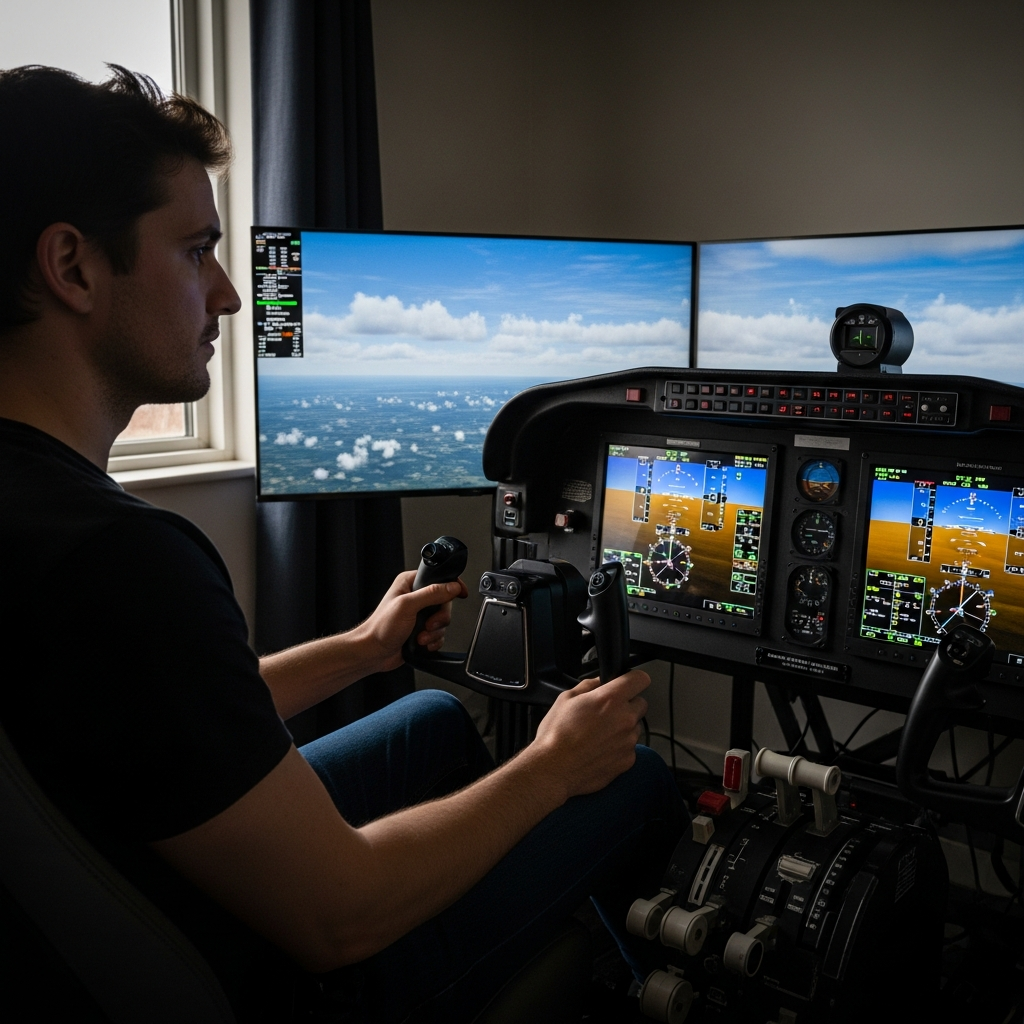
Flight simulator training has gotten complicated with all the conflicting noise flying around online. As someone who’s logged serious hours in both X-Plane 12 and a real Cessna 172, I learned everything there is to know about where that line between useful and delusional actually sits. My setup isn’t fancy — Honeycomb Alpha yoke, Bravo throttle quadrant, mid-range PC that runs warm in the summer. But I’ve also sweated through real dual instruction working toward my private certificate. The gap between those two things? Real. The overlap? Also real. The problem is that every opinion you’ll find online comes from one of two camps: some grizzled ATP who treats desktop sims like expensive toys, or a sim enthusiast who genuinely believes 500 hours in MSFS has made them a pilot. Neither of those people will help you make a practical decision.
So here’s an honest breakdown — what transfers, what doesn’t, where the FAA actually stands on sim time, and the specific mistakes that sim-trained students make the moment they climb into a real cockpit.
Yes — For Procedures and Instrument Scanning
This is where the simulator earns its keep. Full stop.
Checklist flows, radio procedures, navigation, instrument scan patterns — these are cognitive tasks. They live in your brain, not your hands. And the sim replicates that cognitive environment with surprising fidelity, especially running realistic avionics like the default G1000 in X-Plane or the Working Title G1000 NXi in MSFS. I practiced ATIS calls, ground frequency contacts, and departure clearances for weeks before my first real lesson. When I finally keyed up on 121.9 at a towered field, I wasn’t fumbling. That confidence was real — and it came directly from sim time. Don’t underestimate how much that matters.
Instrument scanning is another area where the sim genuinely delivers. The cross-check pattern — altimeter, airspeed, attitude indicator, back to altimeter — is a habit loop that takes repetition to wire in. Building that loop in a simulator costs you nothing except electricity. Building it in a rented 172 at $175 per Hobbs hour costs significantly more. Your CFI will still reinforce it, but you won’t be starting from zero. That’s worth something.
Navigation follows the same logic. Understanding VOR radials, reading a sectional, interpreting TFRs, planning a VFR cross-country from departure to destination — all procedural knowledge that transfers cleanly. I flew the same practice cross-country from my home airport to a regional field probably a dozen times in the sim before doing it for real. The actual flight was noticeably calmer for it. No white-knuckling over the chart.
Chair-flying — mentally rehearsing procedures without any device — is a technique CFIs have pushed for decades. The sim is just a more immersive version of that. Every read-back, every frequency change, every hold entry you drill in the sim is cognitive mileage that counts when it matters.
No — For Stick-and-Rudder Feel
Here’s where I have to be honest in a way that might sting a little — myself included.
The sim cannot give your body what it needs to actually fly. G-forces, the seat-of-the-pants sensation of the aircraft settling through ground effect, the buffet in your hands before a stall, the way real wind shear snaps the nose — none of that exists in your desktop setup. A $300 yoke and a $250 set of rudder pedals are better than a keyboard. They are not analogous to control surfaces with real aerodynamic loads behind them. That’s just the truth.
Landing is the most painful example. I had roughly 200 simulated landings before my first real lesson. Flared too high every single time in the actual airplane. The depth perception is different. The sink rate feels different. The ground effect feels different. My instructor — a patient man named Dave who’d apparently seen this exact pattern before — told me on the third lesson to mentally erase everything the sim had taught me about the flare. Start over. That was humbling. It was also accurate advice.
Frustrated by that gap, I went deep into accident reports and NTSB studies on sim-trained student performance. The pattern holds. Students with heavy sim backgrounds often do well on knowledge tests and procedures but underperform on stick-and-rudder tasks in the early lessons. The sim builds confidence that the real aircraft then immediately challenges — sometimes aggressively. That’s not fatal to your training. It just means you can’t skip the physical hours.
Crosswind landings. Turbulence corrections. Coordinated turns that don’t slip or skid. These require kinesthetic feedback. The sim is not where you learn them. The cockpit is. Plan accordingly.
What Real Flight Schools Use Sims For
Probably should have opened with this section, honestly — because the FAA’s actual position on sim time cuts through a lot of the online noise pretty fast.
The FAA recognizes two categories relevant here: Aviation Training Devices (ATDs) and Basic Aviation Training Devices (BATDs) — certified hardware evaluated against specific criteria. Time logged in an FAA-approved ATD counts toward certain certificate requirements. For a private pilot certificate, you can log up to 2.5 hours in a BATD and 2.5 hours in an ATD toward the 40-hour minimum. For an instrument rating, the numbers get more generous — up to 10 hours in a BATD and 20 hours in an ATD.
Real flight schools use certified sim hardware precisely because the procedures transfer. Redbird Flight Simulations makes some of the most widely used school-grade devices — their Redbird TD2 runs around $6,000 to $8,000 and qualifies as a BATD. Gleim Aviation produces training materials paired with sim platforms. X-Plane, the actual software, powers some FAA-certified devices when paired with the right hardware configurations and approval paperwork.
Schools use these devices for instrument approach practice, emergency procedure flows, and systems failures — scenarios that are dangerous or prohibitively expensive to replicate in actual aircraft. Shooting an ILS approach to minimums in actual IMC as a student isn’t practical. Doing it forty times in a Redbird until the scan is automatic — that’s exactly what the tool is for. That’s what makes sim hardware endearing to instructors and schools alike.
Your home sim running X-Plane 12 or MSFS is not a certified ATD. Your hours don’t log officially unless you’re flying with a CFI in a certified device. The training value is still real. It just doesn’t go in your logbook.
The Sim-to-Real Transition Mistakes
These are the specific failure modes I’ve seen discussed across pilot forums, confirmed by CFIs I’ve talked to, and — in one case — experienced personally. Don’t make my mistake.
Over-reliance on instruments for VFR flight. Sim flying, especially in MSFS with its gorgeous panel setups, trains you to look inside. Real VFR flying requires you to look outside — constantly. Students with heavy sim time often fixate on the panel in conditions where a seasoned VFR pilot would be scanning the horizon and watching for traffic. It’s counterintuitive. More instrument familiarity from the sim can actually make early VFR training harder, not easier.
Autopilot expectations. The sim autopilot does exactly what you tell it, instantly. Real autopilots have engagement requirements, mode annunciations, and limitations that vary by aircraft. In many training aircraft, there’s no autopilot at all. Sim pilots sometimes reach for a function that doesn’t exist — or expect the aircraft to hold altitude while they handle something else. It won’t.
Underestimating physical workload. Real flying is tiring in a way no desktop session prepares you for. Managing radio communications, watching for traffic, correcting for actual wind, handling real turbulence, and flying the aircraft simultaneously — that cognitive and physical load is heavier than it looks from a desk chair. Sim-trained students sometimes arrive expecting to feel more relaxed than they actually do. Budget for that adjustment period. It’s normal.
- Don’t expect your simulated landing skills to transfer — treat the flare as a completely new skill in the real aircraft
- Practice looking outside the cockpit even while using the sim — build the habit of limiting panel time deliberately
- Tell your CFI about your sim background early — they’ll tailor lessons around known sim-to-real gaps
- Resist the urge to tell your instructor how you did it in the sim
How to Use Your Home Sim to Support Real Training
Given everything above, here’s how to actually make your sim time count — structured around what a CFI would recommend, not what makes for a fun Saturday session.
Practice Instrument Procedures Between Lessons
If you’re working toward your instrument rating, the sim is a legitimate practice tool between lessons. Load the ILS approach for your local airport. Fly it until the scan and the call-outs are automatic. Fly the missed approach. Fly the hold. Do it again. This kind of procedural drilling is exactly what the sim does well — it extends the value of every real hour you spend with your CFI in an actual aircraft. Repetition here is basically free.
Radio Communication With VATSIM or PilotEdge
This one is underused and extremely valuable. VATSIM is free — real human controllers staffing virtual frequencies around the world, around the clock. PilotEdge is a paid service, around $19.95 per month, with more consistent coverage and a structured rating system. Flying on either network forces you to use real phraseology, read back clearances correctly, and communicate under something that actually resembles pressure. The first time a VATSIM controller asks you to say intentions and you completely blank — that’s a lesson worth learning at home rather than on 121.9 at a busy Class C. Trust me on that one.
Chair-Fly Approaches Using the Sim as Your Reference
Pull up your approach plate. Load the sim. Fly the approach. Pause it. Close your eyes and fly it again mentally. This combines chair-flying with sim practice in a way that builds the mental model faster than either technique alone. Your CFI may assign a specific approach to study — this is how you actually study it.
Use Failures to Practice Emergency Flows
X-Plane 12 has a robust failure system. Set it to random failures during cruise. Practice the engine failure checklist using a specific flow — throttle, carb heat, primer, mixture, fuel shutoff, in whatever order your POH dictates. Practice the electrical failure flow. Practice the alternator-out procedure. These are cognitive tasks with specific sequences, and getting them wrong in the sim costs nothing. Getting them wrong in a real aircraft is a different conversation entirely.
But what is a home simulator, really? In essence, it’s a cognitive training tool. But it’s much more than that — it’s a procedures lab, a radio trainer, a failure scenario generator, and a confidence builder, all for the cost of a few hardware purchases and an electricity bill. Used with clear eyes about what it can and can’t do, your home sim can meaningfully reduce training time, sharpen procedural confidence, and make you a more prepared student on every real lesson. This new approach to sim-supported training has taken off over the past several years and eventually evolved into the structured methodology instructors know and recommend today.
Just don’t expect it to teach you how to land.
Choosing a platform first? Our sourced MSFS 2024 vs X-Plane 12 comparison covers hardware, ecosystems and the limits of home training.

Stay in the loop
Get the latest ultimate flight simulators updates delivered to your inbox.