Best Flight Sim Hardware for Beginners — Yoke, Throttle, and Pedals Guide
Flight sim hardware has gotten complicated with all the review noise flying around. Every guide I stumbled across when I started assumed I already knew what I wanted — comparing yokes to yokes, throttle quadrants to throttle quadrants, completely skipping the question any new simmer actually has: what do I buy first? As someone who started with a $30 USB joystick pulled from a clearance bin in 2014, I learned everything there is to know about building a sim setup the wrong way. I’ve rebuilt mine four times. Here’s what that cost me — in actual dollars and wasted frustration — and what I’d do differently starting from zero.
This article includes affiliate links. We may earn a commission at no extra cost to you.
Start Here — Joystick vs Yoke for Your First Setup
This is the single most important decision you’ll make. Most guides bury it three paragraphs down, which is maddening.
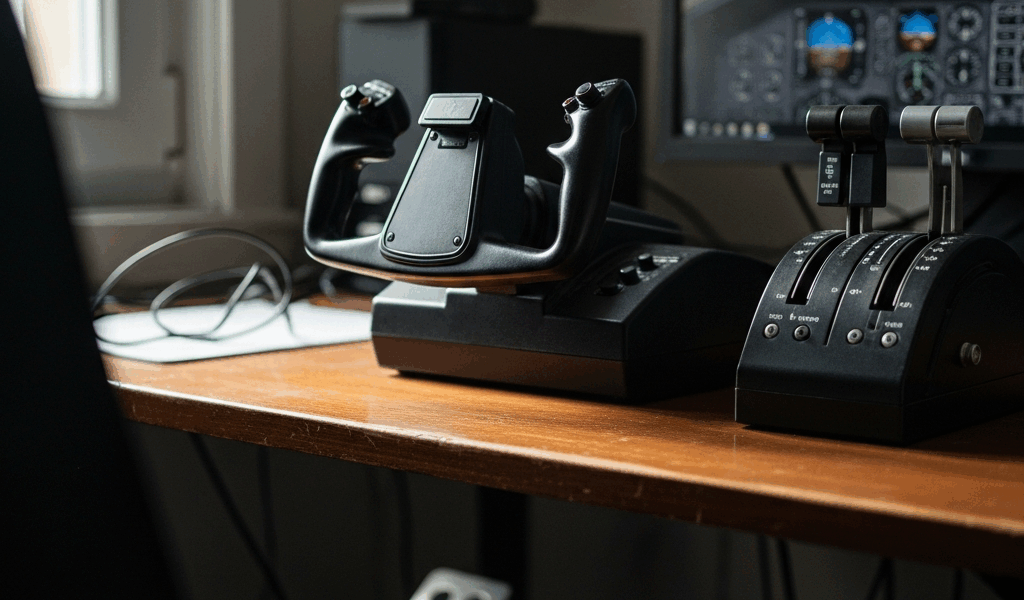
But what is the real difference between a joystick and a yoke? In essence, they both control pitch and roll — the two axes keeping your plane from becoming a lawn dart. But it’s much more than that. A joystick sits on your desk, takes up roughly the footprint of a coffee mug, and runs between $30 and $150 for a solid beginner model. A yoke — that two-handled steering wheel-looking thing — clamps to your desk edge, eats up real estate, and starts at around $250 for anything worth owning. It’s built to replicate the control column in a Cessna 172 or a Boeing 737. Great tool for that specific job. Terrible first purchase if you haven’t figured out yet whether you want to fly warbirds, airliners, bush planes, or all of the above.
Start with a joystick. Full stop. Joysticks work across every aircraft category in Microsoft Flight Simulator 2020, X-Plane 12, and DCS World — a Spitfire, a Dash 8, a Cessna, even a helicopter to some degree. A yoke doesn’t rotate fully the way a joystick does, which makes anything with a roll-heavy flight model feel genuinely awkward. Don’t make my mistake — I bought a yoke before realizing I’d spend 60% of my sim time in warbirds. That was a $250 lesson.
The one exception: if you know with absolute certainty you’re flying airliners only — 737s, A320s, the PMDG 777 — then a yoke makes sense from the jump. Any doubt at all? Joystick first. The yoke will still be on sale later.
Budget Setup Under $150
Probably should have opened with this section, honestly — because for most people, the budget question settles everything else before it starts.
Two joysticks have owned this price range for years. The Logitech Extreme 3D Pro (street price around $40–50) and the Thrustmaster T.16000M (around $60–80 depending on where you look). Both are real entry points — not toys dressed up in sim clothing.
Logitech Extreme 3D Pro
The Logitech Extreme 3D Pro has been on shelves since roughly 2003. That sounds like a knock, but it really isn’t — hardware that old survives because it works. Twelve programmable buttons, a twist axis for rudder input, and a throttle slider on the base. It’s right-hand only, mostly plastic, but it does plug-and-play on Windows without any driver drama whatsoever. For $45, it’s an honest way to find out whether flight sim is going to stick before you commit real money.
What you give up at this price: precision. The sensor is a basic potentiometer — not a Hall effect sensor — which means center drift creeps in over time. Not on day one, but eventually. The base throttle slider is also awkward enough mid-flight that you’ll probably stop using it after the first week.
Thrustmaster T.16000M
Spend an extra $20–30 and get the T.16000M instead, if the budget allows it. Hall effect magnetic sensors in the main stick axes — that translates to noticeably better center feel and hardware that holds up longer. It’s ambidextrous, runs 16 action buttons plus a four-way hat switch, and the throttle unit sits at a more natural position than the Logitech equivalent.
This is genuinely enough to learn on. Hundreds of hours in MSFS 2020 with a T.16000M and you won’t feel like the hardware is holding you back. The step up from here is quality-of-life — not necessity.
Mid-Range Setup — $150 to $400
Once the sim has confirmed itself as an actual hobby — not a two-week obsession that ends when the weather gets nice — this is where the real jumps in quality happen. Two paths depending on what you’ve decided you want to fly.
Thrustmaster TCA Officer Pack — Airbus Edition
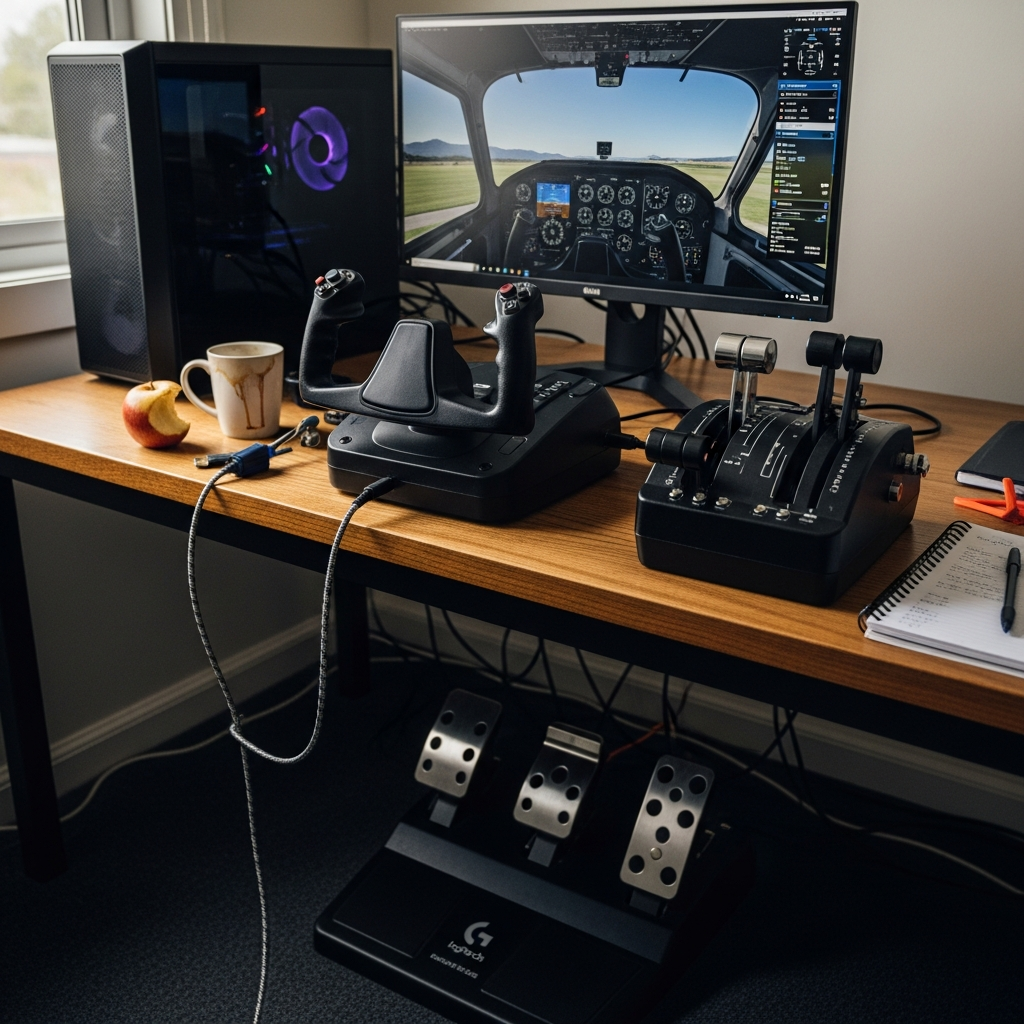
Frustrated by the gap between mouse-clicking virtual throttles and actually feeling the detents, a lot of Airbus-focused simmers end up here faster than they expected. The Thrustmaster TCA Sidestick Airbus Edition (around $60 standalone) replicates the side-mounted stick feel of an A320 — sits to the right of your keyboard rather than dead center on your desk. Pair it with the TCA Quadrant Airbus Edition (around $100) and you get physical detents for IDLE, CLIMB, FLEX, and TOGA positions. That click-stop feedback — feeling the throttle lock into TOGA rather than just dragging a slider — is one of those things that sounds minor until you try it. The two-piece set runs around $160 and is probably the best value combination in sim hardware right now for anyone going deep on Airbus aircraft specifically.
Honeycomb Alpha Flight Controls — Yoke
If general aviation and airliners are your lane and you’ve committed to a yoke, the Honeycomb Alpha Flight Controls (around $199–229) is where most experienced simmers point beginners with a real budget. It clamps to desks up to about 2.3 inches thick, gives you a full 180-degree rotation, and includes a built-in throttle lever plus a panel of switches — landing gear, magnetos, master electrical — the physical stuff you’d actually reach for in a Cessna or Piper. Build quality is leagues beyond the $40–80 range. It feels like hardware, not a toy.
Pair the Alpha with the Honeycomb Bravo Throttle Quadrant (around $169) if you want a matched set. Together — roughly $370–400 — that combination is genuinely competitive with hardware costing twice as much from Saitek’s professional line.
Rudder Pedals — When to Add Them
Rudder pedals are not your first purchase. I want to be clear about that.
Twist-axis joysticks like the Logitech Extreme 3D Pro and the T.16000M already give you rudder control through stick rotation. Imperfect — but functional enough to land, taxi, and depart without issues. Add pedals when two things are true at the same time: you’ve put genuine hours into the sim, and the twist-axis is actively feeling like a ceiling. For most people that’s somewhere around the 50–100 hour mark, assuming they’re actually pushing their flying rather than just cruising in circles over their hometown.
Budget — Thrustmaster TFRP Rudder Pedals
The Thrustmaster TFRP T.Flight Rudder Pedals run about $60–70 and are the standard low-end recommendation for a reason. Three axes — rudder, left brake, right brake — covering everything needed for general flight and differential braking on the ground. Plastic-heavy build, lighter center spring tension than real pedals, but they work reliably. The entry cost is low enough that upgrading later doesn’t sting.
Mid-Range — Logitech G Flight Rudder Pedals
The Logitech G Flight Rudder Pedals (around $100–130) are a meaningful step up in feel. Longer pedal travel, more deliberate resistance, a more natural heel rest position for longer sessions. Not a perfect replication of real aircraft pedals — nothing at this price is — but comfortable enough that two-hour approaches don’t leave your feet cramped. These hold up well alongside both the mid-range joystick setups and the Honeycomb yoke combination.
That’s what makes dedicated pedals endearing to us simmers, honestly. Rudder is no longer a wrist motion. Your hands are free to manage throttle, trim, and the hundred other things demanding attention on approach.
What NOT to Buy First
Hardware manufacturers know beginners research obsessively before spending. Some of that marketing is designed specifically to capture that enthusiasm before it’s tempered by experience.
Don’t build a full cockpit setup from the start. Full home cockpit builds — MDF enclosures, multi-monitor arrays, replica overhead panels — are years-long projects for simmers who’ve already logged serious time. Buying a replica 737 throttle stand before you know how to configure a STAR approach in MSFS is roughly equivalent to buying a professional espresso machine before you’ve made drip coffee. The complexity will kill your motivation before the hobby gets a real chance to hook you.
Track IR comes before VR, and both can wait. TrackIR — a head-tracking camera that moves your in-sim view as you physically turn your head — costs around $150–200 and is legitimately one of the most immersive upgrades available. But it’s an immersion layer, not a hardware replacement. VR headsets for sim use (Meta Quest 3, Valve Index) start at $300 and demand a PC powerful enough to push the frames without stuttering. Both are worthwhile eventually. Neither belongs on a beginner’s first purchase list.
Here’s a reframe worth keeping — if you’re debating between rudder pedals and head tracking as your next upgrade after a solid joystick, buy the head tracking first. TrackIR, or the cheaper OpenTrack/Delanclip clip-based solution (around $60–80), will immediately change how the sim feels on a level that’s hard to describe until you try it. Rudder pedals make you more precise. Head tracking makes you feel like you’re actually sitting in the cockpit. For someone still building enthusiasm for the hobby, immersion wins that argument every time.
Don’t buy a multi-panel instrument cluster before you understand the systems. The Logitech/Saitek Pro Flight instrument panels look incredible in setup photos — apparently they photograph really well. They also require you to genuinely understand what they’re displaying to get any value from them at all. Learn the sim first. The hardware will still be there.
The path forward is simpler than most forums make it sound: start with a joystick under $80, fly until you know what you actually enjoy, then add hardware in the order that matches what’s genuinely limiting you — not what looks impressive in a desk tour photo. Every experienced simmer who’s built a setup they’re happy with did it exactly that way. One piece at a time, with real hours behind each decision.
For buyers who choose the Logitech system, our MSFS yoke setup walkthrough covers the full path from mounting to a tested aircraft profile.
Bravo owners should bookmark our Honeycomb Bravo lights and USB diagnostic before changing drivers or profiles.

Stay in the loop
Get the latest ultimate flight simulators updates delivered to your inbox.