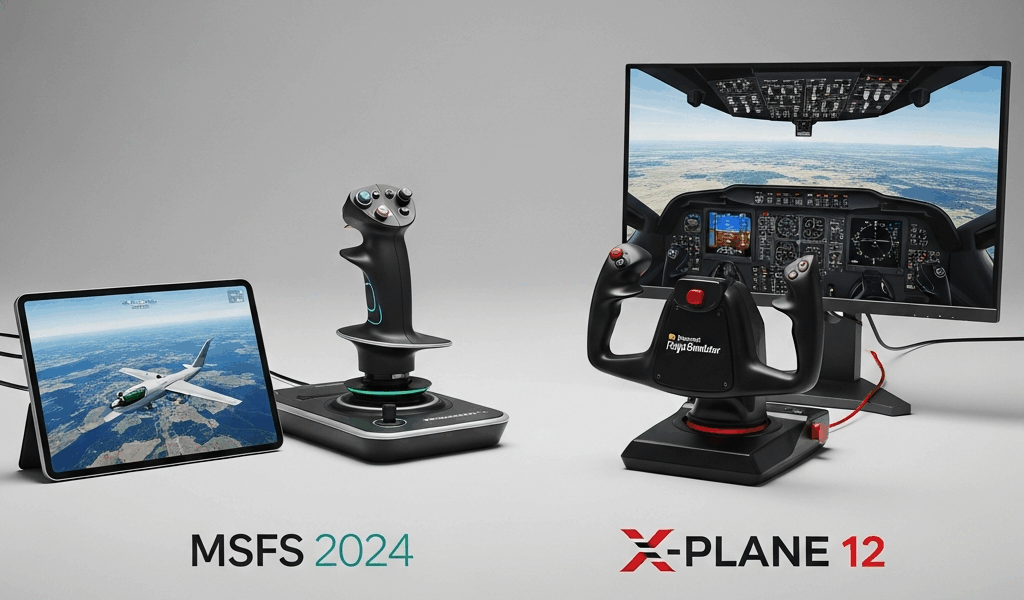
Choose Microsoft Flight Simulator 2024 if you want Xbox support, Game Pass access, a streamed global world, and career-style activities. Choose X-Plane 12 if you need native macOS or Linux support, want to test performance with a free demo, or prefer its desktop-first aircraft-development and simulation ecosystem. On Windows, either can be the better purchase; your hardware, internet connection, aircraft add-ons, and preferred type of flying matter more than slogans about which has “better physics.”
Short verdict: MSFS 2024 is the broader entertainment platform. X-Plane 12 is the more portable desktop choice across operating systems and offers a useful try-before-you-buy path. Neither consumer program, by itself, is a substitute for approved flight training.
MSFS 2024 vs X-Plane 12 at a glance
| Decision factor | Microsoft Flight Simulator 2024 | X-Plane 12 |
|---|---|---|
| Supported platforms | Windows PC, Xbox Series X|S, and Xbox Cloud Gaming | Windows, macOS, and supported Linux configurations |
| Subscription option | Available through eligible Game Pass plans | Sold as a desktop license; Steam is also offered |
| World delivery | Cloud-streamed textures, meshes, and map data are central to the design | Locally installed simulator and scenery, with optional add-ons |
| Free performance test | No equivalent full PC demo listed in the official FAQ | Laminar offers a demo and says full-version performance is the same |
| Career activities | Built-in Career Mode and aviation activities | Primarily a flight-simulation platform rather than a comparable built-in career game |
| Best fit | Xbox users, visual exploration, activities, and broad accessibility | Mac/Linux users, local configuration, demo testing, and X-Plane-specific aircraft/add-ons |
Features, editions, subscription terms, and prices can change. Check the official MSFS 2024 FAQ and official X-Plane purchase page before paying.
Platform choice may decide it immediately
MSFS 2024 officially supports Windows PC, Xbox Series X|S, and Xbox Cloud Gaming. It is the straightforward choice if you want a current full-scale simulator on Xbox or already have access through an eligible Game Pass plan.
X-Plane 12 supports Windows 10/11, macOS, and Ubuntu Linux LTS configurations described by Laminar Research. Mac and Linux users therefore have a clear reason to start with X-Plane. Linux compatibility varies by distribution and drivers, so use the demo on the exact computer before purchasing.
Internet connection and storage
Microsoft says MSFS 2024 uses cloud streaming so that the client downloads the textures, meshes, and map data needed for the current session. This reduces the amount of world data that must remain installed locally, but it makes connection quality and data use important parts of the experience. A household with slow, capped, or inconsistent internet should investigate current bandwidth guidance and test through Game Pass if practical.
Laminar lists 25 GB as X-Plane 12’s minimum disk space, before optional scenery, aircraft, plugins, or user data. A serious installation can grow well beyond the base requirement. Its local-first model may appeal to users who prefer managing scenery and add-ons on their own storage.
Hardware requirements: do not compare minimums blindly
Minimum specifications establish whether software may launch; they do not guarantee your desired resolution, aircraft complexity, weather, add-ons, or frame rate. The two publishers also define their tiers differently, making a one-row “winner” misleading.
Microsoft’s official table lists separate minimum, recommended, and ideal PC specifications for MSFS 2024. Laminar’s current X-Plane 12 requirements list 8 GB RAM and a Vulkan-capable GPU with at least 2 GB VRAM as minimums, while recommending substantially more capable hardware, including 16–24 GB RAM and at least 8 GB VRAM.
The most reliable X-Plane check is its free demo on your machine. For either simulator, test the aircraft, airport, weather, display resolution, and peripheral combination you will actually use. Complex airliners and dense third-party airports can be far more demanding than a default light aircraft over rural terrain.
Scenery and world exploration
MSFS 2024’s streamed world, map data, and career activities make it attractive for geographic exploration and varied missions. If your ideal evening is choosing a location, flying visually, and seeing recognizable terrain without building a scenery library first, MSFS has the clearer product design for that use.
X-Plane 12 includes a global environment but takes a different approach. Users who care about a specific region often curate local scenery, airports, mesh, and orthophotos. That control can be valuable, but it requires storage, setup time, compatibility checks, and sometimes additional purchases.
Flight models: avoid the easy myth
X-Plane is known for its blade-element flight-model approach. MSFS also models aerodynamic surfaces and aircraft systems; neither platform can be judged accurately from the engine label alone. The behavior you experience depends on the simulator version, individual aircraft implementation, configuration, control calibration, weather, and developer choices.
It is not defensible to say every default X-Plane aircraft is more realistic than every MSFS aircraft, or vice versa. Compare the exact aircraft you plan to fly. Read its manual, review developer update notes, check known limitations, and look for evaluations that disclose hardware, weather, weight, center of gravity, assists, and test method.
Aircraft and add-ons
Both platforms have default aircraft and large third-party ecosystems. Compatibility is product-specific. An add-on owned for MSFS 2020 may work in MSFS 2024, but Microsoft’s FAQ distinguishes upgraded 2024-SDK content from content running through backward compatibility. Verify the individual developer’s status before assuming full feature parity.
X-Plane 11 add-ons are not automatically equivalent to native X-Plane 12 products. Check the developer’s supported version, update policy, operating systems, activation limits, and plugin dependencies. For either ecosystem, total cost is the base simulator plus the aircraft, airports, utilities, controls, and storage you actually plan to use—not a hypothetical $300–$500 bundle.
Controls, VR, and multi-monitor setups
Before choosing, verify support for your exact yoke, stick, throttle, pedals, panels, headset, and display arrangement. “USB compatible” does not guarantee correct mappings, working LEDs, or a vendor plugin on every operating system.
VR performance is especially sensitive to the headset, runtime, resolution, reprojection settings, CPU/GPU balance, aircraft, and scenery. A personal report from one Quest headset cannot establish that one simulator is universally smoother. Use current release notes and test your intended configuration where a refund or demo policy permits.
Can either simulator teach you to fly?
Both can support familiarization, checklist practice, instrument scanning, navigation concepts, and procedure rehearsal when used thoughtfully. They can also teach bad habits if controls, aircraft behavior, or procedures are configured incorrectly.
Consumer software and home controls do not automatically constitute an FAA-approved aviation training device, and logged time requires applicable rules, equipment approval, and instructor involvement. Do not use either simulator to self-teach stalls, emergencies, crosswind limits, or aircraft-specific procedures in place of an instructor and the approved aircraft documentation. Our guide on using flight simulation for real-world learning explains the limits.
Which one should you buy?
Choose MSFS 2024 if:
- You play on Xbox or want Xbox Cloud Gaming.
- You already have eligible Game Pass access and want a lower-commitment trial route.
- Global visual exploration and built-in career activities are priorities.
- Your internet connection can support the streamed-world design.
- Your preferred aircraft and peripherals are supported on your chosen platform.
Choose X-Plane 12 if:
- You use macOS or a supported Linux configuration.
- You want to test exact-machine performance with the official demo.
- You prefer a locally managed desktop simulator and scenery library.
- Your must-have aircraft or plugin is native to X-Plane 12.
- You enjoy configuring and curating the simulator rather than relying primarily on a streamed world.
Consider owning both if:
Your budget and storage allow it and each serves a distinct use: for example, MSFS for exploration and activities, X-Plane for a specific aircraft, plugin, or Mac/Linux setup. Buy the second only after the first reveals a concrete unmet need.
A five-minute buying checklist
- List the three aircraft and five airports you will use most.
- Verify their current native support and total add-on cost.
- Check every control and plugin against your operating system.
- Compare official recommended—not merely minimum—hardware.
- Account for connection quality, data caps, and storage.
- Use the X-Plane demo or an eligible Game Pass/refund path before building an add-on library.
Bottom line
For Xbox, streamed global exploration, and career activities, start with MSFS 2024. For macOS/Linux, an official demo, and a locally managed desktop ecosystem, start with X-Plane 12. On Windows, choose around the exact aircraft, add-ons, controls, connection, and hardware you own. No fabricated “400-hour test” or anonymous pilot quote can replace that compatibility check.
Checked against official publisher pages in August 2026. Recheck current editions, specifications, prices, subscription access, and compatibility before purchase.




Stay in the loop
Get the latest ultimate flight simulators updates delivered to your inbox.